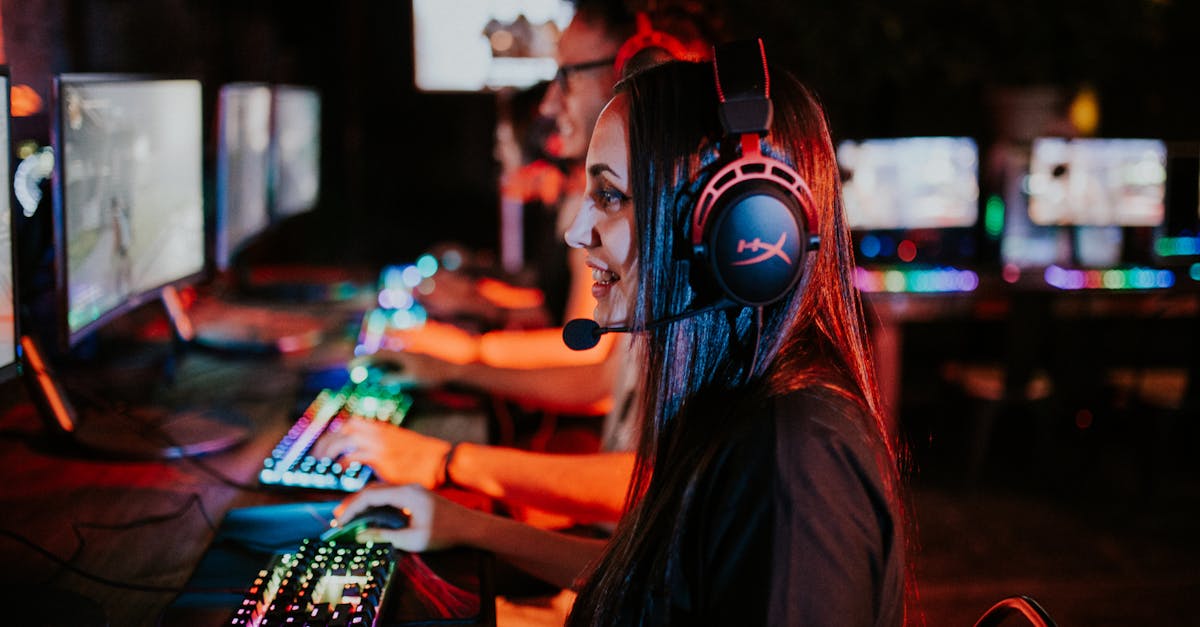
Have you ever wished your workouts could feel less like a chore and more like an adventure? Slipping on a virtual reality headset turns exercise into an immersive escape where you’re dodging obstacles or boxing in vibrant digital arenas. I’ve found that these VR fitness games don’t just make moving fun—they push you harder without the usual boredom creeping in.
In this text, I’ll jump into how VR headsets are changing the fitness game, blending technology and exercise in ways that keep you motivated and engaged. Whether you’re a seasoned gamer or just looking to spice up your routine, there’s a headset out there that can transform your workout experience. Let’s explore what makes these devices a game-changer for fitness enthusiasts everywhere.
Overview of Virtual Reality Headsets for Fitness Games
When it comes to getting a workout in with virtual reality, the headset you choose sets the stage for everything. VR fitness headsets blend display technology, sensors, and comfort features to create a more active and enjoyable sweat session. I’ve spent time with several popular options and learned that not every headset fits every fitness style or budget.
What Makes a VR Headset Great for Fitness?
First off, comfort is key. Since you’re moving a lot, you don’t want a headset that feels like a brick on your head or leaves marks halfway through your routine. Look for models with adjustable straps, breathable padding, and balanced weight so your neck doesn’t scream by the end. Some brands include facial interfaces that can be swapped out—great for quick cleaning after a sweaty workout.
Tracking accuracy also makes a huge difference. Fitness games demand real-time movement detection. Headsets with inside-out tracking use built-in cameras to follow your motions without extra sensors cluttering your space. That’s a win for anyone short on room or who likes fast setup. But, if you want to push for extra precision, some systems offer external sensors—but that can get a bit fiddly.
Another factor that’s easy to overlook: battery life. Wireless headsets let you move freely (no surprise tangled cords mid-jump), but if the battery runs out halfway through your routine, that messes up your flow. Wired options avoid this problem but can limit your moves.
Display and Performance to Keep You Going
Good graphics keep you engaged, and a crisp display keeps things immersive. I found that headsets with higher refresh rates (90 Hz and above) make fast-paced fitness games smoother and reduce motion sickness—a blessing if you tend to feel dizzy during VR sessions.
While some headsets pack powerful processors to run games internally, others connect to a PC or console. This difference impacts the game library available and the graphics quality you get. For most fitness enthusiasts, mid-range specs do the trick. If you’re more casual or just testing the waters, entry-level models offer good value and enough performance for popular fitness titles.
Comparing Popular Headsets for Fitness
| Headset | Tracking Type | Weight (lbs) | Battery Life | Price Range | Notable Strengths |
|---|---|---|---|---|---|
| Oculus Quest 2 | Inside-out (wireless) | 1.1 | 2-3 hours | $299 – $399 | Lightweight, ease of use, strong game library |
| HTC Vive Pro | External sensors | 1.4 | Wired (no battery) | $599+ | Precision tracking, excellent visuals |
| PlayStation VR2 | Inside-out (wired) | 1.2 | Wired (no battery) | $550 | Comfortable, good for PS gamers |
| Pico 4 | Inside-out (wireless) | 0.95 | 2-3 hours | $429 | Great ergonomics, sharp display |
It’s clear each headset brings something different to the table. I found the Quest 2 especially versatile thanks to its wireless setup and user-friendly interface. The Pico 4 surprised me with its lightness and sharp visuals, making longer workouts more comfortable. On the other hand, PC-tethered models like the Vive Pro offer the most precise tracking but require dedicated space and setup time.
Everyday Tips for Picking Your Fit
- Try on a headset if possible before buying. Comfort varies a lot from person to person.
- Think about your workout space. Wireless models shine in tight or cluttered areas.
- Check the games available. Some headsets have exclusive fitness titles you may want.
- Plan how long you want to play. If you typically do 45-minute sessions, look for strong battery life or easy recharge options.
Features of Top Virtual Reality Headsets for Fitness
Choosing the right VR headset for fitness games means looking at some key features. Let me walk you through the most important ones and what they mean for your workout experience.
Display and Visual Quality
When you’re sweating it out with VR fitness games, a clear and vibrant display makes all the difference. I’ve found that headsets with high-resolution screens create sharper images and richer colors so you don’t miss a beat—or a pixel. The refresh rate matters too; a higher rate (like 90Hz or more) keeps things smooth, which helps reduce motion sickness and keeps me focused longer.
Here’s a quick tip: look for OLED or fast LCD panels. OLED screens tend to have better contrast and deeper blacks, which is great for immersive environments with dynamic lighting—like a cardio boxing game. One time I tried a headset with a low refresh rate and blurry visuals, and honestly, it killed my motivation to keep going.
Tracking and Sensors
Tracking is the powerhouse behind that real-time workout feeling. Good VR headsets use sensors to follow your head and body movements with precision. That means when you punch, dodge, or jump, the headset captures those moves perfectly—no lag or weird jitters.
Inside-out tracking, which uses cameras built into the headset, is popular because you don’t need extra sensors around the room. I prefer inside-out for fitness because setting up and tearing down workouts is quick. That said, some setups with external base stations (those little cubes on tripods) provide even more precise tracking—great if you have a dedicated game room and want that extra accuracy.
Comfort and Fit
Let’s be real—nobody wants a clunky headset weighing down their sweaty face during a tough session. Lightweight headsets with adjustable straps make a huge difference. My go-to fitness VR is one I barely notice after 30 minutes of jumping jacks or lunges.
Soft facial padding and breathable materials also help with comfort and reduce fogging on the lenses. And hey, adjustable fit means you can share your headset with family or friends without a fuss. One of my friends swore off a bulky model simply because it hurt her nose after 10 minutes—ouch!
Battery Life and Connectivity
Wireless freedom is essential when you’re moving around a lot. A decent battery life—usually around 2 to 3 hours—lets you squeeze in a full workout without scrambling for a charger. I once had my session cut short because my headset died halfway through, so trust me on this one.
Some headsets also offer wired options, which might limit movement but can be worth it if you want to avoid battery anxiety. Bluetooth or WiFi connectivity lets you sync with apps or controllers seamlessly—which is handy for tracking stats or adjusting settings mid-session.
Compatibility with Fitness Games and Apps
What’s all the tech for if your favorite fitness games aren’t supported? I always check which apps work with the headset upfront. Oculus Quest 2, for example, has a huge library of fitness games like Beat Saber and Supernatural. HTC Vive Pro leans more towards PC-based apps, which opens doors for a wider range of experiences but needs a powerful PC to run smoothly.
If you’re serious about mixing gaming and fitness, look for headsets that support popular apps and new releases frequently. Some even integrate with wearables or heart rate monitors for data-driven workouts—because who doesn’t want a little extra motivation from numbers?
Quick Tips for Picking Your Headset Features:
- Prioritize crisp displays with 90Hz+ refresh rates for smooth action
- Choose inside-out tracking unless you have space for external sensors
- Look for lightweight, breathable headsets with adjustable straps
- Aim for 2+ hours of battery life to cover most workout sessions
- Make sure the headset supports the fitness apps you love
These considerations helped me find a VR headset that fits effortlessly into my daily workout, turning exercise into something I actually look forward to.
Performance and User Experience
Choosing a VR headset for fitness is about more than flashy specs. It’s about how it feels while you’re jumping, punching, or dancing your way through workouts. Let’s talk about what really makes these headsets perform well when the sweat starts pouring and the fun kicks in.
Immersion and Realism in Fitness Games
Immersion means losing yourself in the game so completely that the workout doesn’t feel like work. For me, the best VR headsets create a sense of presence where every move counts and the environment reacts instantly. High-resolution displays combined with wide field-of-view screens make the virtual world sharper and more encompassing. For example, the Oculus Quest 2’s crisp 1832 x 1920 pixels per eye display really tightened up the details for me, making jumping over virtual obstacles feel almost lifelike.
Realism also depends on sound. Clear 3D spatial audio tells you where enemies or targets are without looking, which adds another layer of engagement. When a punch connects, hearing that satisfying thud through the headset makes you want to throw the next one harder (and honestly, that helped me push through those last tough minutes).
Actionable takeaway:
- Prioritize headsets with high pixel density and wide viewing angles for better immersion.
- Look for models offering built-in spatial audio to enhance the workout experience.
Responsiveness and Accuracy
No one wants to be caught out by clunky movement tracking. Fitness games demand real-time responsiveness so your punches land and your footwork matches what the game sees. I’ve noticed inside-out tracking headsets—where cameras built into the headset keep track of your movements without external sensors—provide a more convenient setup without sacrificing precision. The PlayStation VR2, for one, tracks hand and body movements with impressive smoothness that kept me flowing through fast-paced routines.
And responsiveness isn’t just about tracking. Latency—or delay between your move and the system’s response—has to be near zero to avoid feeling “off.” Headsets with refresh rates of 90Hz or above (like the HTC Vive Pro’s 90Hz display) mean less motion blur and lag, which reduces chances of motion sickness during quick exercises.
Actionable takeaway:
- Choose VR headsets with inside-out tracking for a hassle-free setup that stays accurate.
- Look for refresh rates above 90Hz to minimize lag and keep gameplay fluid.
Ease of Use and Setup
Here’s where a lot of fitness VR headsets win or lose me. It doesn’t matter how fancy the tech is if you spend half your workout untangling cables or adjusting straps every few minutes. Lighter headsets with adjustable sizing and breathable materials make a huge difference in comfort. My personal favorite, the Oculus Quest 2, is wireless, which means no cords tripping me up mid-kick.
Setup ease also depends on the tracking type. Headsets needing base stations or external sensors can get tricky if your workout space is limited or shared. In contrast, inside-out tracking headsets only ask you to turn them on and go—a blessing for anyone juggling a busy schedule and a tight living room.
Quick tips for better usability:
- Go wireless if possible to avoid cable hassles during workouts.
- Pick models with easy strap adjustment and cushioned face pads to stay comfortable.
- If you have limited space, opt for inside-out tracking systems that don’t need extra equipment.
Pros of Virtual Reality Headsets for Fitness Games
Using virtual reality headsets for fitness games brings a bunch of real perks that make working out feel less like a chore and more like an adventure I actually want to stick with.
Total Immersion Makes Time Fly
One of the biggest upsides is how VR puts you right in the middle of the action. Instead of staring at a clock or glancing at a treadmill display, I’m dodging obstacles or boxing my way through challenges. This full-on engagement tricks my brain into forgetting I’m even exercising, which means workouts feel shorter and more enjoyable.
Better Motivation Through Interactive Feedback
VR fitness games constantly toss new goals and rewards my way. Whether I hit a new speed or burn a certain number of calories, the instant feedback keeps me pushing a bit harder. It’s like having a personal coach who cheers every small win—even on days when my energy is low.
Customizable Workouts for Any Skill Level
I appreciate that VR fitness games usually offer options to tweak difficulty or choose different types of workouts. If I’m feeling intense cardio one day or just want a light stretching session the next, the headset’s library has something ready. This flexibility means I’m less likely to get bored or overwhelmed.
Space-Saving and Convenient Setup
Unlike bulky gym equipment that eats up space, a VR headset and a little room to move are all I need. This convenience makes squeezing in a workout easier, especially when life gets busy or the weather won’t cooperate. Plus the wireless models mean I’m not tripping over cords mid-jump (lesson learned the hard way).
High-Tech Tracking Enhances Workout Accuracy
Modern headsets use inside-out tracking, which basically means cameras on the headset itself track my movements without extra sensors scattered around the room. This setup keeps things simple and accurate. When my punches or squats get counted right, it helps me trust the game and track progress better.
Built-In Audio Boosts Focus
Most VR headsets come with built-in spatial audio—fancy talk for sounds coming from all around you. This feature draws me deeper into the workout world, blocking out distractions to keep my focus on movement and rhythm (plus it’s way more fun, especially when the game’s soundtrack matches my workout mood).
Get Fit Without the Gym Anxiety
For people who feel intimidated by gyms (guilty as charged), VR fitness games offer a private and judgment-free space. I can sweat it out without worrying about who’s watching or comparing reps. It’s a low-pressure way to build confidence and create a habit of moving regularly.
Quick Tips to Make the Most of Your VR Fitness Headset
- Start slow: Ease into workouts as your body adjusts to new movements.
- Clear your space: Keep a safe open area to prevent accidents.
- Charge up: Make sure your headset is fully charged to avoid mid-session cutoffs.
- Mix it up: Try different games to work various muscle groups.
- Stay hydrated: It’s easy to forget when you’re having fun, but your body needs it.
In one of my early VR workouts I got so caught up in the action I forgot to pause and hydrate (rookie mistake). Since then I keep a bottle nearby and remind myself that breaks don’t mean quitting—they mean stronger sessions later.
These perks show how VR fitness headsets do more than bring tech into exercise. They change how we move, making fitness something to look forward to rather than dread.
Cons of Virtual Reality Headsets for Fitness Games
While VR headsets make workouts feel like an adventure, a few hiccups can catch you off guard.
Comfort Can Be a Challenge
Even with adjustable straps and lighter designs some headsets end up feeling bulky or tight during an intense session. After 30 minutes or so of jumping around my neck and face started feeling the strain. For long workouts, this can become distracting and take away from the fun.
Battery Life Might Not Keep Up
If you plan to sweat it out in VR for more than an hour you should double-check the battery specs. Many popular models, like the Oculus Quest 2, offer around 2 to 3 hours of active use, which is fine for short bursts but inconvenient if you want longer sessions. Nothing kills momentum like having to plug in mid-workout.
Setup and Space Could Be Tricky
Inside-out tracking simplifies setting up but you still need a decent clear area to move safely. Not everyone can dedicate a room or corner free from furniture and pets. Plus some headsets require external sensors or complex calibration, adding to the hassle. I found that having just a five-foot radius free was minimum for any VR fitness game.
Price Tags Are on the Higher Side
Decent VR headsets for fitness start at a few hundred dollars and go up fast. If you’re not ready to commit to this level of investment it can feel like a big ask for a device that’s mostly for workouts and gaming. Add pricey accessories or subscriptions for fitness apps and the cost adds up quickly.
Motion Sickness and Eye Strain Are Real
Some users—including myself—experience motion sickness especially in fast-paced VR games. Symptoms like dizziness, nausea, or headaches can cut workouts short. Plus staring at screens close to your eyes for long periods sometimes causes dryness or strain. Taking breaks and adjusting settings helps but it can be frustrating.
Limited Game Selection for Serious Fitness
Not all VR fitness games offer varied routines or true workout diversity. Some may focus more on fun than effective calorie burning or strength training. If you want a serious fitness companion VR currently lacks the depth of options found in popular traditional apps or gym classes.
Quick Tips to Overcome VR Workout Drawbacks
- Start with 15-20 minute sessions to build comfort
- Keep your play area clutter-free and safe
- Charge your headset fully before starting
- Try different games to find what feels right for fitness goals
- Take breaks to reduce eye strain and motion sickness
Even though VR fitness isn’t perfect yet these hurdles don’t overshadow the fun and motivation it brings to workouts. Trust me, once you find your sweet spot between headset comfort and game choice, it can feel like your own little virtual gym.
Comparison of Leading Virtual Reality Headsets for Fitness
Choosing the right VR headset for fitness games means balancing features, comfort, and price. Let me walk you through how top models stack up, so you can find one that fits your workout style and budget.
Price and Value for Money
When I first looked into VR fitness headsets I was struck by how prices can vary quite a bit. Here’s a quick snapshot of the major players:
| Headset | Approximate Price | Key Value Points |
|---|---|---|
| Oculus Quest 2 | $299 – $399 | Wireless freedom, solid game library, affordable |
| HTC Vive Pro | $799 – $1,199 | Premium build, great tracking, higher price |
| PlayStation VR2 | $549 | Top-notch visuals, great for console users |
| Pico 4 | $429 | Balanced price, inside-out tracking, lightweight |
The Oculus Quest 2 stands out if you want solid performance without very costly. Its wireless design means I don’t get caught up in cords while jumping around in Beat Saber workouts. The fit might feel a bit basic for longer sessions, but the value is hard to beat.
The HTC Vive Pro feels like the “big kid” on the block. It’s pricey but seriously comfortable and packed with premium tracking tech, which helps if your workout involves lots of fast movements. Still, it’s more suited to those who want a dedicated VR setup and don’t mind investing upfront.
PSVR2 is a treat if you’re already in the PlayStation ecosystem. It offers beautiful graphics and smooth gameplay, but you’ll need a PS5, so factor that cost in.
Pico 4 surprised me with its lightweight design and user-friendly features at a price point that sits nicely between Quest and Vive. It’s great for anyone wanting a balance of comfort, visuals, and affordability.
Unique Features for Fitness Users
Here’s where headsets really show their workout smarts.
- Inside-out tracking: Found in Oculus Quest 2 and Pico 4, this means the headset’s cameras track your movements without external sensors. I found it saved time setting up and gave me more room to move.
- Refresh rate: Higher refresh rates, like the 90Hz or above in PSVR2 and Vive Pro, make fast-paced fitness games feel smooth, reducing that feeling of lag which can sometimes cause motion sickness.
- Comfort: Adjustable straps and lightweight designs go a long way. I’d rate Pico 4 highest in comfort during longer sessions. Vive Pro comes next with its foam padding but is heavier.
- Battery life: For wireless headsets, you want enough juice to finish your workout. Quest 2 gives you about 2-3 hours, which has been enough for my mid-length sessions. Pico 4 offers a bit more, closer to 3-4 hours if you’re pacing yourself.
- Audio: Built-in spatial audio helps keep me immersed. PSVR2 stands out here with its headphones delivering crisp and directional sound.
With these features, the key is to prioritize what fits your workout type. Fast cardio routines call for quicker refresh rates. If you like a mix of workouts or extended sessions, comfort and battery life might matter more.
Platform and Game Library Support
Turning to software, what’s a great headset without great games?
- Oculus Quest 2: Boasts one of the largest VR game libraries with plenty of fitness-focused titles like Supernatural and FitXR. The standalone nature means you can jump into workouts anywhere with Wi-Fi.
- HTC Vive Pro: This headset shines if you’re a PC user. It connects to SteamVR which has many fitness games and tools. This setup suits those who want a high-end VR experience and don’t mind plugging into a powerful computer.
- PlayStation VR2: A growing lineup of fitness games is making its way here. If you already own a PS5, this could be your go-to because of the seamless integration and exclusive titles.
- Pico 4: Supports both Android-based VR games and has its store, which includes fitness titles. It’s still building its library but is compatible with many popular apps used on Quest, thanks to some software flexibility.
One tip I’ve found useful is to check which fitness apps you want before buying. There’s no friction in trying demos once you have a headset, but narrowing down your favorites first saves time and money.
Hands-on Experience with Popular VR Headsets for Fitness
Trying out different VR headsets for fitness really opened my eyes to how much variety is out there. Each headset brings something unique to the table and plays a different role depending on how you like to work out.
Oculus Quest 2: Affordable and Solid Performer
The Oculus Quest 2 quickly became one of my favorites, especially if you want to get into VR fitness without emptying your wallet. It’s wireless so moving freely felt natural, which is a huge plus when you’re doing jumping jacks or punching motions. The inside-out tracking worked well for me — no external sensors needed, so setup was fuss-free and fast. The display is crisp enough to keep me immersed, and the refresh rate stays smooth during quick movements. Battery life gives me about 2-3 hours of solid play, which covers most workout sessions nicely. If you’re looking to try VR fitness casually or just want to keep things simple, this headset makes a lot of sense.
HTC Vive Pro: Premium Feel, Serious Tracking
When I tested the HTC Vive Pro, the first thing that stood out was the premium build—this headset feels like it’s built to last and handle intense workouts. The dual external sensors provide excellent tracking accuracy, which I noticed especially during fast-paced games like boxing where hand and arm tracking accuracy is crucial. The display resolution is sharp, making the environment feel realistic. But, it comes at a steep price and the wired setup means you have to stay close to your PC, so space can become an issue. If you’re serious about VR fitness and want accuracy above all else, this is a solid choice, but expect some extra effort to set it up.
PlayStation VR2: Top Visuals and Comfort for Long Sessions
The PlayStation VR2 impressed me with its stunning visuals—perfect if you want your workout to feel like stepping into another world. The OLED screen delivers vibrant colors and deep blacks, reducing eye strain even during long sessions. The headset is surprisingly lightweight and its adjustable straps made it easy for me to find a comfy fit. What I really liked was the built-in spatial audio, which created an immersive soundscape that kept me motivated. Keep in mind, PS VR2 requires a PlayStation 5, and game options specific to fitness are still growing. But if you already own a PS5, it’s a straightforward upgrade for your exercise routine.
Pico 4: Balanced Comfort and Price
The Pico 4 was a pleasant surprise. This headset felt noticeably lighter than others I tried, making sweaty workouts more comfortable. The inside-out tracking was responsive, and the display quality was on par with higher-end models at a more wallet-friendly price. Battery life was solid, giving me about 3 hours of use, which worked well for my needs. What stood out was the balanced mix of comfort, solid performance, and affordability. It’s a great middle ground for those who want better specs than entry-level models without the premium cost.
Quick Tips from My VR Fitness Testing
- Start with wireless models for freedom of movement, especially if your workouts involve punches, kicks, or jumps.
- Look for adjustable straps and lightweight designs to avoid discomfort during longer sessions.
- Check if the headset supports your favorite fitness games before investing – game libraries can vary a lot.
- Don’t forget battery life — 2-3 hours is a good sweet spot for uninterrupted workouts.
- Consider audio features too; built-in spatial sound can really boost your focus and immersion.
Still on the fence? I know it can feel like a lot to pick when there’s so much tech jargon out there. My guess is to start with how you want to move and which platform (like PC, standalone, or console) fits your setup best. That’s usually the best way to narrow things down quickly.
Alternatives to Virtual Reality Headsets for Fitness Gaming
Not everyone has the space, budget, or desire to jump into VR headsets for fitness gaming. Luckily, there are some solid alternatives that still make workouts fun and interactive without strapping a headset to your face.
Smart Fitness Mirrors: Your Workout Buddy in Disguise
Smart fitness mirrors are like having a personal trainer staring right back at you. These devices show your reflection plus guided workouts on the mirror’s surface. They blend screen time with movement, offering real-time feedback on form.
What I like about these mirrors is how seamlessly they fit into a room—no bulky gear or complex setup. Plus, they often come with a library of fitness classes for all levels. According to a 2023 study, smart mirrors helped users stay motivated 35% longer compared to traditional workouts.
Still, a downside is the cost—high-end models can get pricey, and you miss out on the immersive freedom VR headsets provide. For those who prefer straightforward screen workouts with some tech help, smart mirrors can feel like a friend pushing you through those last reps.
Motion-Sensing Gaming Consoles: Kinect and Beyond
If you already have a gaming console, you might tap into fitness games using motion sensors like Kinect for Xbox or PlayStation Camera. These systems track your body movements for games focused on dance, boxing, or aerobics.
I’ve found these options great for home workouts that mix entertainment with physical activity. Plus, they don’t require extra wearables or screens outside your TV. They’re excellent at encouraging you to move more with accessible games that kids and adults alike can enjoy.
On the flip side, motion sensors rely on good lighting and enough space. And compared to VR’s 360-degree immersion, they feel a bit limited. Still, they make fitness gaming approachable for many without extra equipment costs.
Interactive Fitness Apps with AR Features
Augmented reality (AR) fitness apps layer digital elements onto your real-world environment using your smartphone or tablet camera. Think of it like Pokémon Go meets your morning jog.
Apps like Zombies, Run! have turned cardio into a thrilling story-driven experience by adding AR soundscapes and challenges that keep you hooked. Plus, AR fitness games usually don’t need any special gear—just your phone and a willingness to explore.
Keep in mind, AR can’t track every movement as accurately as VR. But if you want to bring a bit of fun into your daily walks or runs, they’re a low-cost, easy-to-start option.
Traditional Fitness Equipment with Smart Add-ons
Some traditional equipment has caught the tech bug. Treadmills, stationary bikes, and rowing machines now come with built-in screens or pair with apps offering virtual trails and competitive leaderboards.
Recently, I tried a smart bike that streamed live classes and tracked calories burned in real time. It kept me engaged much longer than my old bike ever did. The best part? You get the cardio benefits of real equipment with some of the engagement of digital gaming.
The downside is you’re somewhat tied to one type of exercise unless you invest in multiple machines. But if you prefer focused workouts with a sprinkle of tech, these might be just right.
Quick Tips for Exploring Fitness Tech Alternatives
- Consider space: Mirrors and motion sensors are great for rooms with limited open areas.
- Budget-wise: Apps with AR features are easy on the pocket and super accessible.
- Try before you buy: Some smart mirrors and machines offer trial periods or studio memberships.
- Mix and match: Combining traditional workouts with tech boosts variety and keeps motivation high.
Finding your fitness groove doesn’t always mean diving into VR headsets (and trust me, I’ve been there juggling setups). These alternatives show how technology can support your workout style and space—without needing a headset hanging off your face.
Conclusion and Final Verdict on Virtual Reality Headsets for Fitness Games
Choosing the right VR headset can truly transform how you approach fitness. The immersive and interactive nature of VR fitness games keeps me motivated and makes workouts feel less like a chore. While some challenges exist, like comfort and battery life, the benefits of engagement and customization outweigh them for many users.
If you’re ready to elevate your exercise routine with technology that adapts to your lifestyle, VR headsets offer an exciting option. Just remember to consider your personal preferences and space before diving in. With the right setup, fitness becomes not only effective but genuinely enjoyable.
Frequently Asked Questions
What are the benefits of using VR headsets for fitness workouts?
VR headsets make workouts more engaging by immersing users in interactive environments. They boost motivation, provide customizable workouts, and offer real-time feedback. This can make exercise more enjoyable and feel shorter, encouraging consistent fitness routines.
How do I choose the best VR headset for fitness?
Look for comfort, accurate tracking, good battery life, and compatibility with fitness games. A lightweight, adjustable design, inside-out tracking, high-resolution display, and wireless capabilities improve the workout experience.
Can VR fitness headsets cause discomfort during exercise?
Some users may experience discomfort due to headset weight, eye strain, or motion sickness. Taking breaks, adjusting fit, and starting slow help reduce these issues.
Which VR headsets are recommended for fitness use?
Popular options include Oculus Quest 2 for affordability, HTC Vive Pro for premium tracking, PlayStation VR2 for high-quality visuals, and Pico 4 for balanced comfort and price.
How important is tracking accuracy in VR fitness headsets?
Very important. Accurate, real-time tracking ensures movements are detected properly, improving workout effectiveness and safety.
Are wired VR headsets better than wireless for fitness?
Wireless headsets offer more freedom of movement, making workouts less restrictive. Wired headsets may provide slightly better performance but can limit mobility.
What alternatives exist if I don’t want to use a VR headset?
Alternatives include smart fitness mirrors, motion-sensing consoles like Kinect, augmented reality fitness apps, and traditional equipment with smart features.
How can I avoid motion sickness while using VR for fitness?
Start slow, use games with smooth motion, take regular breaks, and ensure the headset fits well to minimize motion sickness.
Is battery life important for VR fitness headsets?
Yes, longer battery life supports uninterrupted workouts, so choose headsets that can last through typical exercise sessions.
Are VR fitness games suitable for all skill levels?
Yes, many VR fitness games offer adjustable difficulty and customizable workouts to match various fitness levels and experience.